Photo to Coloring Page
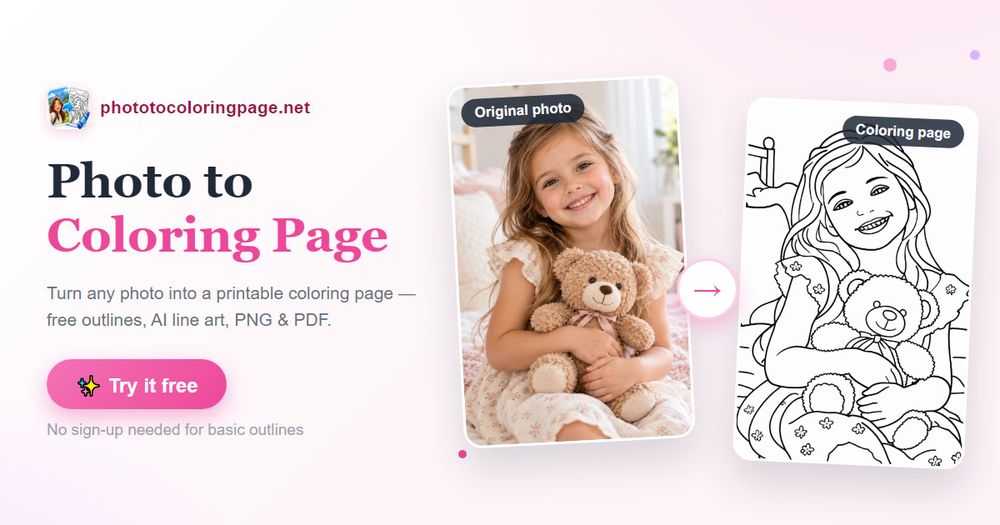
Photo to Coloring Page is a web tool that turns JPG, PNG, and WebP photos into printable coloring pages. It is designed for families, teachers, hobbyists, and anyone who wants a personal coloring activity from a favorite photo.
Key features
- Free basic outline mode that runs locally in the browser with no account required.
- AI-assisted coloring styles including Book, Kawaii, Comic, Storybook, Doodle, Mandala, and Anime.
- Adjustable output options such as background removal and 1K or 2K resolution.
- Live comparison preview to check the original photo against the generated line art before downloading.
- PNG download and print/PDF export with US Letter and A4 paper sizing.
- Privacy-conscious workflow: basic outlines stay on your device, while AI enhancement clearly discloses that the photo is sent to an AI provider.
- Credit-based AI usage: new accounts receive 3 free AI credits valid for 7 days; repeat downloads and printing of existing results do not use additional credits.
Common use cases
- Turning childhood portraits, family moments, and pet photos into keepsake coloring pages.
- Creating classroom activities from transport, architecture, or object photos.
- Making floral and mandala-style pages for older children and adults.
- Printing multiple copies of a finished page for parties, rainy days, or quiet activities.
Practical notes
Sharp, well-lit photos with a clear subject produce the best results. Basic mode traces edges and may struggle with busy backgrounds, while AI mode redraws the photo and can simplify complex scenes. Users should preview results at full size before printing batches.