Overview
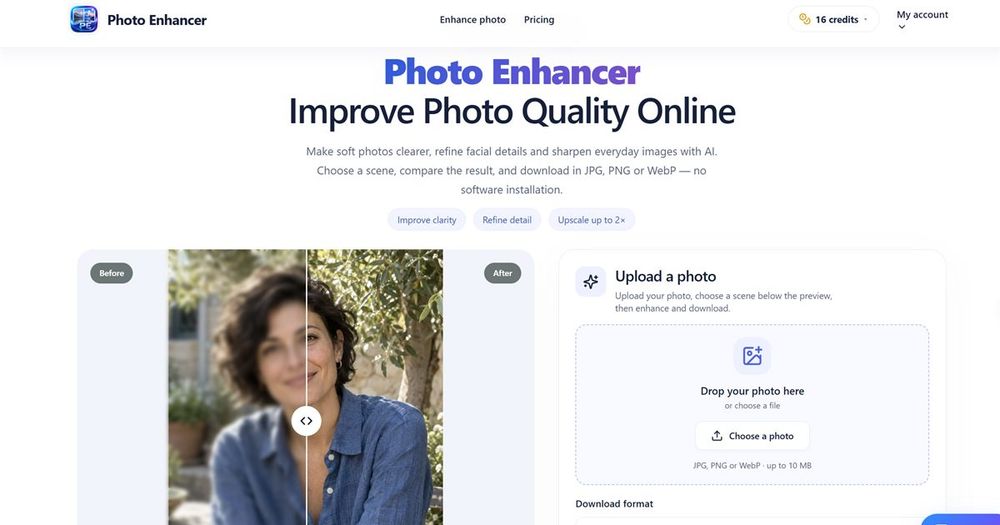
Photo Enhancer is an online AI photo enhancement tool that helps you improve image clarity, refine details, and upscale photos up to 2× without installing software. It is designed for everyday photos, portraits, product shots, landscapes, pets, and text images.
Key Features
- AI enhancement: Uses AI models to sharpen soft photos, refine facial details, recover textures, and improve overall clarity.
- Scene modes: General, Portrait, Object, Landscape, Pet, and Text. Each mode applies dedicated precision settings (e.g., face refinement for portraits, text-protecting sharpening for documents).
- Before/after comparison: Interactive slider lets you compare original and enhanced results side by side.
- Output formats: Download as PNG (lossless), JPG (familiar sharing), or WebP (smaller modern file).
- Upscaling: Automatically prepares supported 2× output; large files are resized to fit output limits, with actual dimensions shown before processing.
- Privacy and retention: Inputs stored privately for up to 24 hours; guest results expire after 1 day, signed-in results after 7 days; completed outputs can be deleted.
- Pricing: One free enhancement per day for guests; signed-in users use credits with costs shown before processing.
Use Cases
- Everyday moments: Sharpen phone photos of meals, gifts, and daily scenes.
- Portraits: Refine eyes, hair, and skin while comparing results carefully.
- Product photos: Enhance ceramic, fabric, and small product edges for sharing.
- Landscapes: Improve stonework, leaves, and roof lines in travel photos.
- Pets: Rebuild fur, whiskers, and bright eyes without changing markings.
- Text and documents: Sharpen handwriting, signs, and scans while guarding characters; always proofread important text.
Technical Notes
- Supports JPG, PNG, and WebP input up to 10 MB.
- Processing is browser-based; no installation required.
- Live processing sends prepared images to fal.ai; moderation via Sightengine is not connected at this stage.
- Tasks have unique IDs; failures release reserved credits or free allowance, and re-opening a task does not charge again.
- A better original is still the best starting point; enhancement works best when recognizable edges and detail remain.